How to track Ukrainian government bonds (ОВДП) from different brokers in one app
I buy ОВДП (Ukrainian government bonds) through several brokers — Pryvat24, mono, inzhur. Buying them from your phone is easy. The hard part is everything after: once the bonds are scattered across different apps, you lose the big picture — how much you hold in ОВДП in total, and how much you've earned on them.
For a while I kept it all in a spreadsheet: a tab per broker, formulas, manual updates. I'd open it once a month, grumble, and close it. So when I built my own personal-finance app — calmfinance — tracking ОВДП properly was one of the first things I wanted to get right. Here's how I keep every bond from every broker in one place.
Why ОВДП are a pain to track
Bonds aren't stocks. There are a lot of little details that trip up ordinary portfolio trackers: different brokers and different apps, coupons and maturity dates, foreign-currency issues, and on the secondary market the price is quoted as a percentage of face value. None of the broker apps I used could answer one simple question: how much do I hold in ОВДП, across all brokers?
The idea: one account per broker
The solution turned out to be simple: a separate investment account for each broker — “ОВДП Pryvat24”, “ОВДП mono”, “ОВДП inzhur”. The app then rolls them up into one combined total, so you see both the per-broker detail and the overall picture.
Step 1. An account for ОВДП
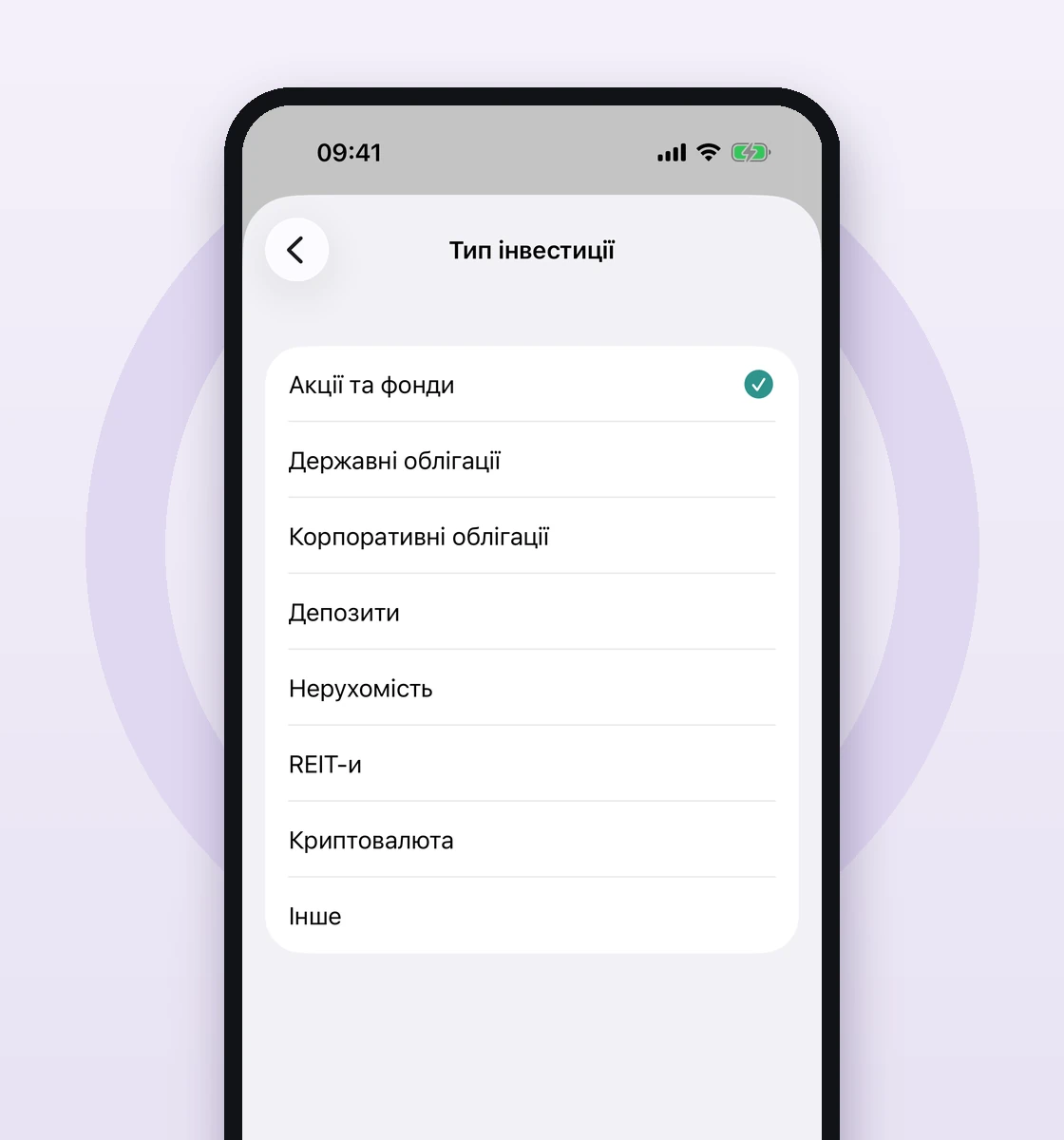
Create a new account, set “Account type” to “Investment”, then set “Investment type” to “Government Bonds”. I name the account after the broker: “ОВДП Pryvat24”. Repeat for every broker where you hold bonds.
Step 2. Add an issue — auto-fill from the NBU
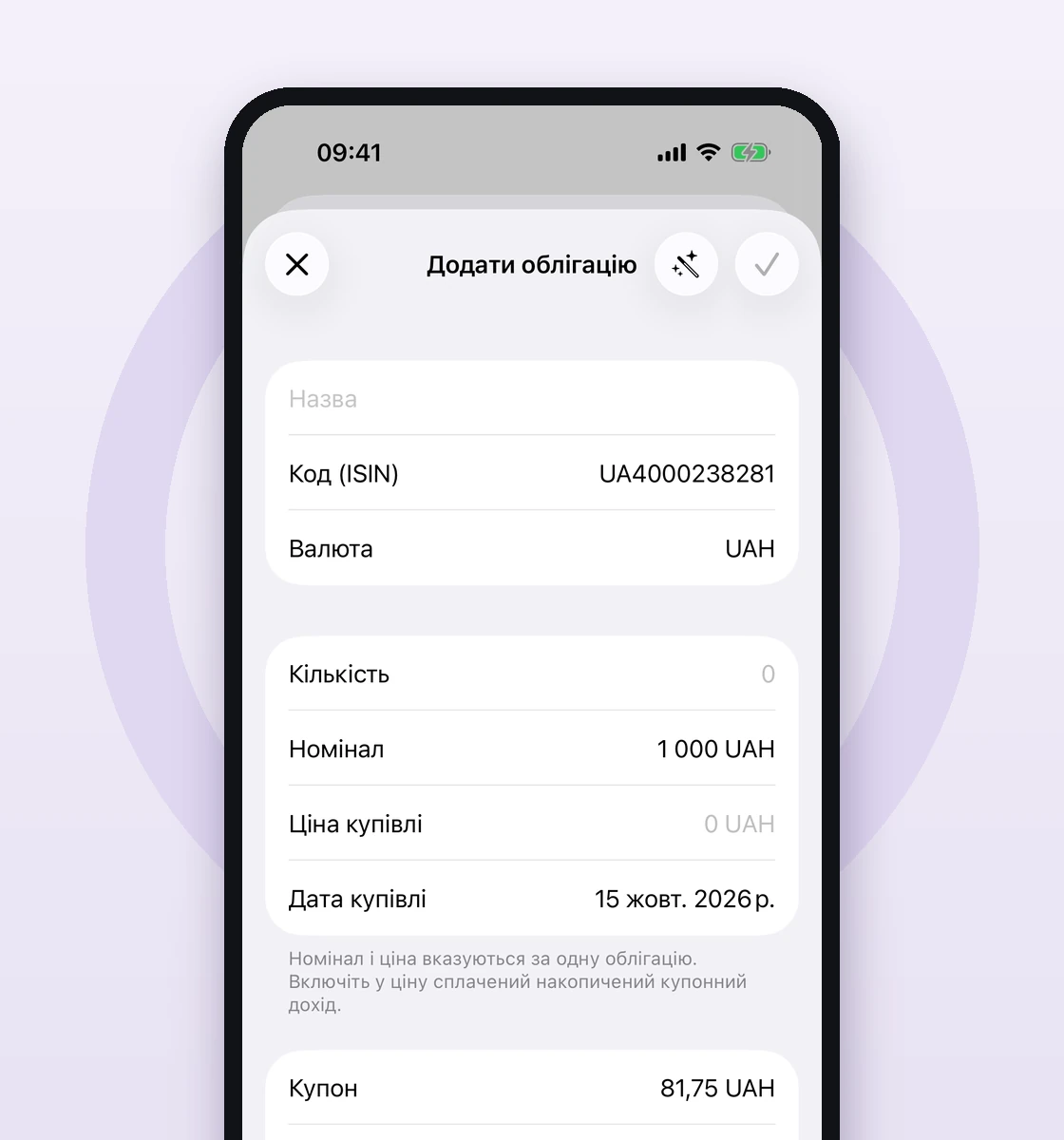
Bonds you already hold are added inside the account under “Opening assets”, with the “Add bond” button. Instead of typing in the face value, rate and dates by hand, I use the wand: enter the ISIN in the “Code (ISIN)” field — or even just the number, e.g. “ОВДП 238281”, and the app expands it to the full “UA4000238281”.
Tap the wand, “Looking up the bond…” appears, and the “Face value”, “Coupon”, “Payments per year”, “Maturity date” and currency are pulled from the National Bank of Ukraine's open data. Your own “Quantity”, “Purchase price” and “Purchase date” are left untouched.
Step 3. How much and at what price — lots
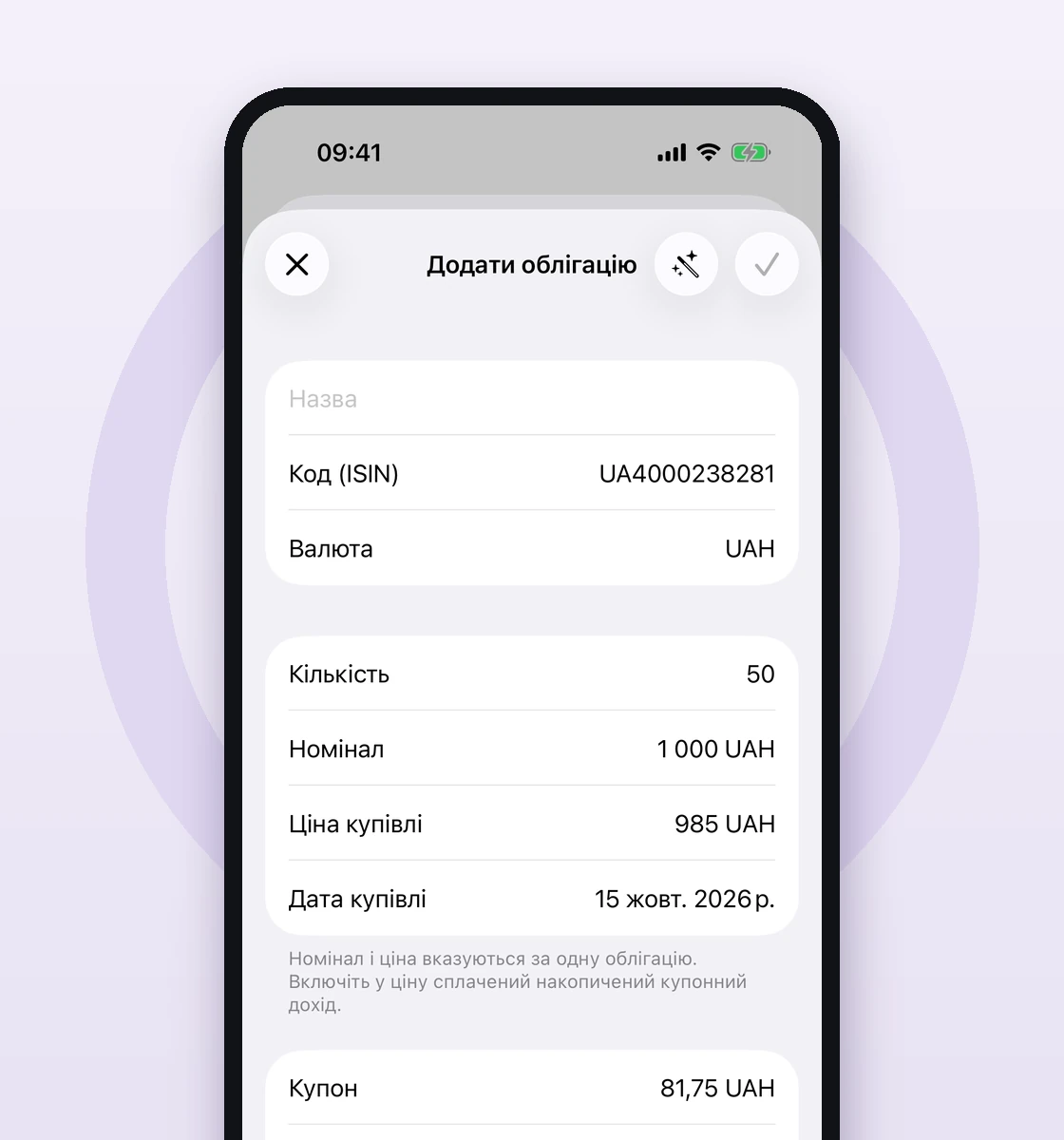
I enter my actual purchase: “Quantity”, “Purchase price”, “Purchase date”. Bought more of the same issue at a different price? That's a separate lot, and they all sit under one card with a correct average. This is where the spreadsheet disappears: every purchase at one broker, in one tidy list.
Step 4. Coupons and redemptions
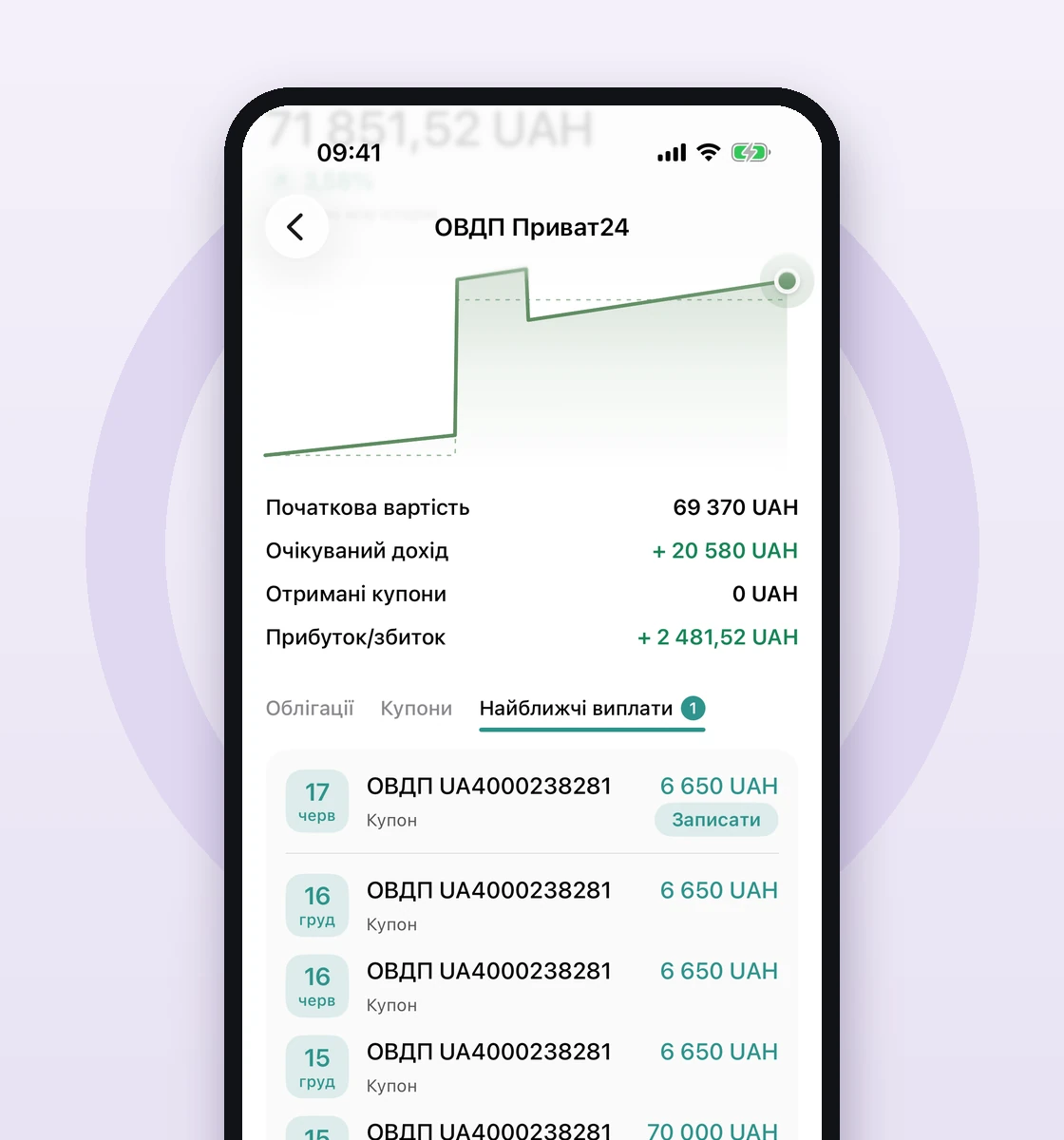
I no longer keep the coupon schedule in my head. When a date comes up, the app shows a “Coupon” or “Redemption” row on the “Upcoming payments” tab (and among the requests on the Transactions screen). I tap “Record” — a coupon becomes income on the account, and a redemption returns the face value to wherever the money actually landed. The app doesn't invent movements for you — it prompts and waits for confirmation.
Step 5. Finally — the big picture
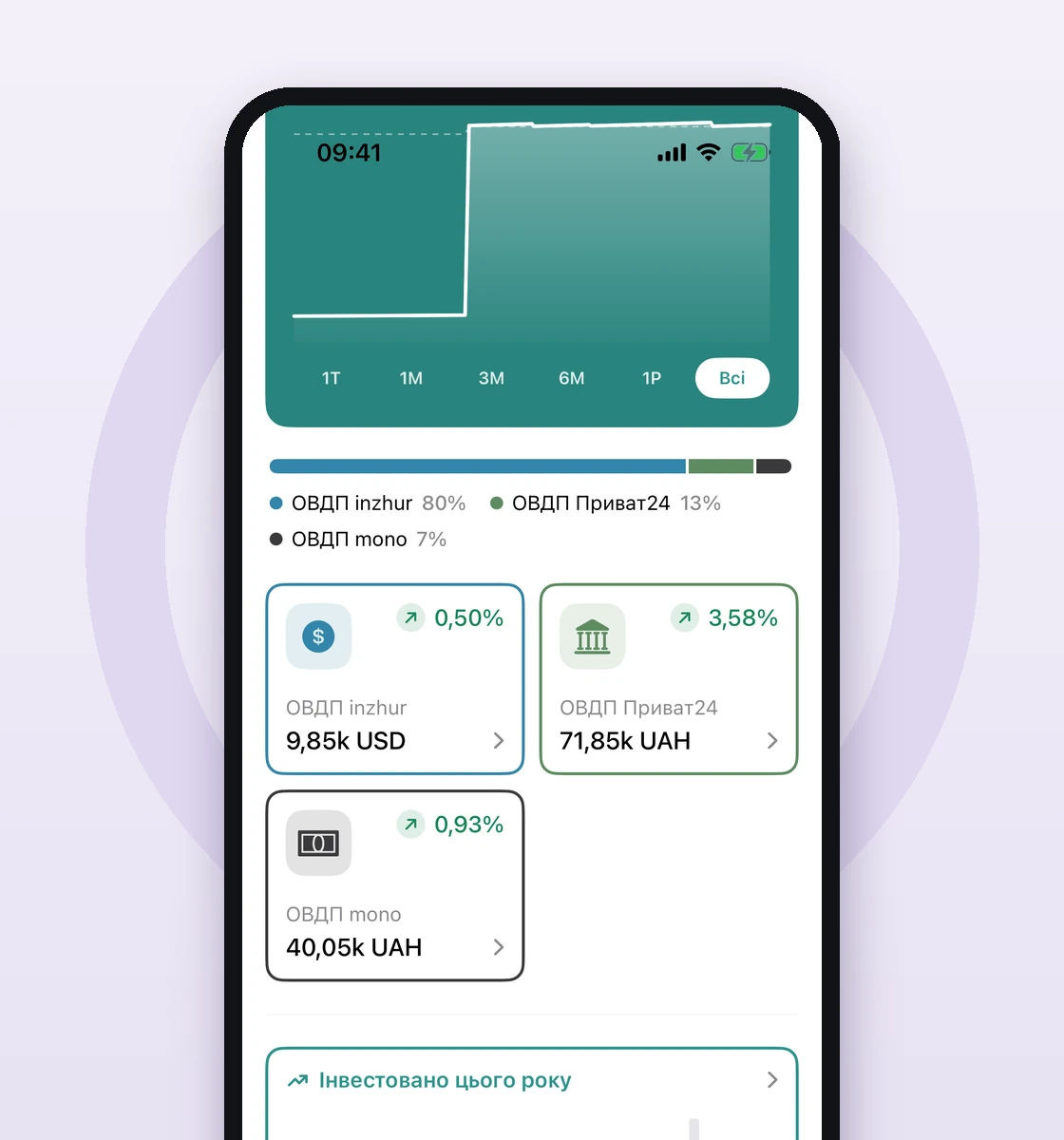
And now the whole reason for all this. On the “Investments” tab I see the combined value of all my ОВДП, across every broker, converted into a single currency, with the profit from coupons and revaluation. And I can drill into a specific broker when I want the detail.
For each account I choose how to value the bonds: “To maturity” (by the issue's own terms) or “Market price” — in which case the price is quoted as a percentage of face value, the way brokers do it.
Wrapping up
ОВДП are a great instrument, but the moment you hold more than a single issue at a single broker, tracking them becomes a headache. A simple scheme saves it: one account per broker, auto-fill of issues from the NBU, and one combined total on top. And no bank logins — you enter the data yourself, and it stays on your device (and, if you want, in your iCloud).
Basic finance tracking and budgets in calmfinance are free; investment tracking — including ОВДП with NBU auto-fill — is part of Pro. If, like me, you're tired of bonds scattered across apps and dead spreadsheets, give it a try: calmfinance.app. Ukrainian out of the box 🙂